From Chaos to Control: When It’s Time to Graduate from Break-Fix IT

IT services are a reality for pretty much any business these days, especially for growing organizations across Texas that rely on always-on systems to keep operations moving. We live in an always-online world, and technology needs constant care. But how do you know when it’s time to graduate from a pay-as-you-go model to a trusted, strategic IT partner?

In late 2023, Hill Country Tech Guys onboarded a large Texas-based property management company with more than 40 properties. They were growing fast, but their IT support wasn’t keeping pace. What resulted was frustration fueled by chaos.

Their former IT provider operated on a break-fix model: no proactive monitoring, no patching, no strategic guidance. Their network was outdated, unsupported, and physically a mess. They had clearly outgrown the break-fix model; it was costing them more than it was helping them. Maybe your business has outgrown this model, too.

What is Break-Fix IT and When Does it Fall Short?

Break-fix generally refers to a pay-as-you-go model. This model is ideal for smaller or newer companies, as you only pay for what you need. When things are running smoothly, you won’t hear from your break-fix IT company. When a device stops working, a printer stops printing, or a network stops functioning, you reach out and are charged either a per-incident or (usually) an hourly rate.

It worked at first, but as their business scaled, so did the complexity of their network and the risks of downtime. They needed more than a bandage, and you might too.

Top Signs Your Business Has Outgrown Break-Fix IT Services

You’re constantly putting out fires:

The property management staff was frustrated with slow computers, printers that didn’t print, and spotty Wi-Fi. While these problems can be unavoidable, they shouldn’t be part of your day-to-day. You have bigger things to worry about than printers.

You’re operating blind:

There was no reporting, no visibility into system help, and no guidance on what needed to be replaced or upgraded. They didn’t have a partner; they had a reactive service that only did the troubleshooting. You should be able to clearly see and understand the value that your IT partner brings to your company. Without clear reporting, delivered on a scheduled basis, how can you truly know what’s happening?

Your infrastructure is outdated or out of warranty:

Their network closets were disorganized; their hardware was unsupported. No one had touched the patching schedule in who knows how long. They weren’t just flying blind they were unsecured. A growing business needs up-to-date infrastructure. You also need a partner who can install and maintain that hardware so you can remain secure and compliant.

You’re growing but your IT can’t keep up:

Managing 40+ properties across Texas takes coordination, uptime, and systems that can scale without friction. Their IT setup was slowing them down tremendously. You need a partner that can keep up with you, help you see and reach the next steps on your journey.

The Managed IT Difference: What They Got with Hill Country Tech Guys

break fix vs managed ITManaged IT means you have an ongoing relationship, usually with a managed service provider, like Hill Country Tech Guys, that supports organizations across Texas with proactive monitoring, maintenance, and strategic guidance.

Hands-On Onboarding

We spent weeks in their network closets and business offices organizing cables, standardizing hardware and equipment, updating firmware, and cleaning up the chaos. We also spent time talking to people, getting to know them, and finding out how their business runs best so we could tailor our support to meet their needs.

Quarterly Business Reviews (QBRs)

Their account manager with Hill Country Tech Guys meets with them quarterly to review:

  • Ticket trends
  • Common issues that may be costing them time or money
  • Budget planning for hardware lifecycle
  • Strategic improvements

Now, their leadership has a clear picture of where their technology is and how it will support taking their business to new heights.

24/7 Monitoring and Proactive Maintenance

Issues are identified and resolved before they become problems. Their team can focus on tenants and property management, not tech headaches.

The Results: Less Stress, More Productivity

Today, their systems are up to date, documented, and running smoothly. Their team no longer loses time on avoidable issues. They’re equipped to grow, and their IT strategy grows with them.

In fact, since they’ve onboarded with us, they’ve added an additional six properties. All of which Hill Country Tech Guys has standardized and reorganized to help them keep growing, securely.

Break-Fix Got You Started, But It Won’t Get You to the Next Level

If your business is facing similar frustrations, it might be time to level up from break-fix IT. Managed services give you more than tech support. They give you peace of mind, predictability, and the freedom to focus on your business.

Ready to graduate from break-fix IT? Let Hill Country Tech Guys help your Texas-based organization move from reactive support to predictable, strategic IT.

What is Single Sign-On (SSO)?

If you’ve ever logged into one app and suddenly had access to several others without entering your password again, you’ve used single sign-on. You just might not have realized it.

Single sign-on, or SSO, is a way to log in once and access multiple systems, platforms, or tools. Instead of remembering a dozen passwords, you just need one. It’s a simple concept with big benefits and a few key precautions.

What is Single Sign-On, Exactly?

Single sign-on allows users to authenticate with one set of credentials, usually through a central identity provider like Microsoft or Google, and access multiple connected applications.

Think of it like a secure front door that opens into a hallway with many rooms. Once you’ve passed the security check at the main entrance, you don’t need to stop and unlock every single room.

Common Examples of SSO in Action:

  1. Logging into Google Workspace and getting access to Gmail, Google Drive, and Google Calendar automatically
  2. Using your Microsoft 365 login to access Outlook, Teams, OneDrive, and SharePoint
  3. Employees sign into a work dashboard and are granted access to third-party tools like Slack, Salesforce, or HubSpot without extra logins.

Is SSO Safe?

single sign-on quote "when implemented correctly, SSO can actually improve your security posture."Yes, when implemented correctly, SSO can actually improve your security posture.

By centralizing authentication:

  • IT teams can enforce strong password policies in one place
  • It’s easier to apply multi-factor authentication (MFA)
  • User access can be revoked quickly when someone leaves the company

But there’s a trade-off. If your SSO login is compromised, all the doors it unlocks are compromised too. That’s why the security of your main credentials matters more than ever.

How to Make SSO More Secure

SSO is only as safe as the practices around it. Here are a few smart ways to strengthen it:

  1. Use Multi-Factor Authentication (MFA)
    SSO should always be paired with MFA. That way, even if your main password is stolen, a second layer, like a phone prompt or code, blocks the threat.
  2. Require Strong, Unique Passwords
    Since SSO puts so much power behind one login, your master credentials need to be tough to crack. Avoid reused or simple passwords. Use a password manager to create and store something long, complex, and unique.
  3. Limit SSO Access to Approved Apps
    Not every service should be connected. Only allow SSO access to apps that are monitored and approved by your IT team or provider.
  4. Monitor for Suspicious Activity
    Look for failed login attempts, unusual locations, or unauthorized device access. A good SSO setup will include some level of monitoring or alerting.

Who Should Set Up SSO?

While some platforms make it easy to connect apps on your own, setting up SSO securely takes more than a few clicks.

You want someone who understands identity and access management, network segmentation, application permissions, and compliance and audit logging.

In other words: your IT partner should handle this. Ideally, a team that’s already managing your security stack and can make sure your SSO doesn’t create more risk than it reduces.

Hill Country Tech Guys helps businesses roll out SSO with the right mix of convenience and control. We connect the right tools, apply the right policies, and ensure your teams get a seamless login experience without sacrificing security.

Because logging in shouldn’t be a daily frustration or a hidden risk, but it should be secure.

Ready to simplify logins and strengthen security at the same time? Let’s talk about SSO and how it fits into your broader cybersecurity strategy. Please call us at (830) 386-4234.

Why Cybersecurity Awareness Training Matters 

In today’s digital age, cybersecurity threats are more prevalent than ever. As businesses and individuals increasingly rely on technology, the need for strong cybersecurity measures has become essential. 

One of the most effective ways to safeguard against these threats is through cybersecurity awareness training. But why is this training so crucial and how can organizations implement it? 

Understanding Cybersecurity Awareness Training 

Cybersecurity awareness training involves educating employees and individuals about the various cyber threats they might encounter. It equips them with the knowledge and skills needed to recognize, avoid, and respond to these threats. This type of training is essential for creating a security-conscious culture within an organization. 

The Growing Threat Landscape 

Cyber threats are constantly evolving, with hackers employing increasingly sophisticated tactics to infiltrate systems and steal sensitive data. According to IMB’s 2024 Cost of Data Breach, the average cost of a data breach is $4.88M. Most small businesses cannot recover from this.  

The costs are not limited to monetary. According to the same report, “the most common type of data stolen or compromised was customer PII, at 46%.” The trust your customers place in you is also at risk. The damage to a company’s reputation is immeasurable.  

The Importance of Security Awareness 

Security awareness is not just about protecting data; it’s about protecting people and maintaining trust. 

When employees know how important cybersecurity is, they are more likely to follow the right steps to protect their company’s belongings. 

Protecting Sensitive Information 

Organizations handle a significant amount of sensitive information, ranging from personal data to financial records. Cybersecurity awareness training helps employees understand the importance of safeguarding this information and the potential risks associated with data breaches.  

Reducing Human Error 

Human error is one of the leading causes of security breaches. Whether it’s clicking on a malicious link or using weak passwords, simple mistakes can lead to significant security incidents.  

Threats are becoming harder to detect, easier to fall for. Training your workforce to be on the lookout can drastically reduce the number of errors made. Robust SAT platforms send out simulated attacks and provide reporting statistics. This gives leaders a snapshot of awareness and helps identify individuals who may be more susceptible to these threats.  

Building a Security-First Culture 

A security-first culture is one where employees prioritize cybersecurity in their daily activities. This culture starts with awareness and education. Finding solutions that are engaging and not stale helps the training be more effective. Providing a game-like experience where employees are tasked with spotting attempts helps them identify real-time threats to your organization. It also provides your employees more security in their personal lives.  

Benefits of Cybersecurity Training 

benefits for cybersecurity trainingImplementing cybersecurity awareness training offers numerous benefits for organizations of all sizes. 

Improved Incident Response 

Training equips employees with the knowledge needed to recognize and respond to potential threats quickly. This rapid response can significantly reduce the impact of a security incident and help prevent further damage. 

Enhanced Employee Confidence 

When employees are confident in their ability to recognize and respond to threats, they are less likely to panic during a security incident. This confidence can lead to a more effective and coordinated response, reducing the overall impact of the threat. 

Compliance with Regulations 

Many industries are subject to strict regulations regarding data protection and cybersecurity. 

Cybersecurity awareness training ensures employees grasp these rules and understand how to follow them, lowering the chances of breaking the law and facing possible fines. 

Cost Savings 

While investing in training may seem like an added expense, it can lead to significant cost savings in the long run. Remember the statistic earlier in the post, $4.88M on average. By preventing security incidents and reducing the impact of breaches, organizations can save money on recovery efforts and potential legal fees. 

Implementing Effective Cybersecurity Training 

For cybersecurity awareness training to be effective, it needs to be well-planned and executed. It should also be engaging. Many platforms have moved away from a once-a-year training to smaller, more digestible monthly trainings. Hill Country Tech Guys does monthly training campaigns internally to keep our employees engaged and security front of mind year-round. We also implement this with our customers.  

Here are some key steps to consider when implementing a training program. 

Assessing Training Needs 

Before implementing a training program, it’s essential to assess the specific needs of your organization. This assessment should consider the types of threats your organization is most likely to face and the existing knowledge level of your employees. Your leadership and IT teams should collaborate on this process. 

Developing Comprehensive Content 

cycle of security awareness trainingThe training content should cover a wide range of topics, including: 

  • Recognizing phishing attacks 
  • Creating strong passwords 
  • Safeguarding sensitive data 
  • Understanding social engineering tactics 
  • Responding to security incidents 

Using Engaging Training Methods 

To ensure that employees retain the information, it’s important to use engaging training methods. Interactive workshops, simulations, and online courses can all be effective ways to deliver training content. 

A good training platform will combine all of these components into one platform and provide you reporting. Because training and simulation without actionable follow-up doesn’t do an organization much good.  

Regularly Updating Training 

The cybersecurity landscape is constantly changing, and training programs need to evolve to keep up. Regularly updating your training content ensures that employees are informed about the latest threats and best practices. 

Create a Security Everywhere Mindset 

Leaders in your company should speak with their teams about the importance of security awareness training on a regular basis. Build these points into regular conversations and it becomes a natural part of your organization’s culture.  

Reinforce that security is not just the “IT department’s” job. It’s a shared responsibility that everyone in an organization needs to take seriously. In 2022 Rockstar games suffered a massive data breach.  

This was caused by employee accepting a multifactor authentication push after receiving numerous notifications. Rockstar reported that the breach resulted in over $5M in recovery costs and numerous man-hours to address the incident.   

Final Thoughts

In an era where cybersecurity threats are ever-present, cybersecurity awareness training is more important than ever. By educating employees and fostering a security-first culture, organizations can significantly reduce their risk of falling victim to cyber threats.  

This proactive approach not only protects sensitive information but also builds trust with customers and stakeholders. Investing in cybersecurity awareness training is an investment in the future security and success of your organization. 

At Hill Country Tech Guys, we understand the importance of cybersecurity awareness training in today’s digital landscape. Our team of experts is dedicated to helping organizations like yours implement and manage effective training programs tailored to your specific needs. Whether you’re looking to educate your employees on recognizing threats, safeguarding sensitive data, or building a security-first culture, we have the expertise to assist you. 

Don’t leave your organization vulnerable to cyber threats. Contact us today to learn how we can help you strengthen your cybersecurity posture and protect what matters most! 

The Power of Business Management Software

Managing various operations efficiently is crucial for success in today’s fast-paced business environment. Business management software has emerged as a powerful tool to help organizations streamline and automate their processes. They integrate multiple functionalities into a single platform, enabling businesses to operate more effectively and make informed decisions.

What is Business Management Software?

Business management software is a comprehensive suite of applications designed to streamline and AUTOMATE various business processes. This allows you to manage your business operations more efficiently and effectively.

Core Functionalities:

  • Project Management: Helps in planning, executing, and monitoring projects. Features include task assignment, progress tracking, and deadline management.
  • Customer Relationship Management (CRM): Manages interactions with customers and prospects. Features include contact management, sales tracking, and customer support.
  • Accounting: Handles financial transactions and reporting. Features include invoicing, expense tracking, and financial analysis.
  • Inventory Management: Manages stock levels and order fulfillment. Features include inventory tracking, order processing, and supplier management.
  • Collaboration Tools: Facilitates communication and teamwork. Features include messaging, file sharing, and collaborative document editing.

Popular Examples:

  • NetSuite: An integrated cloud business software suite that includes ERP, CRM, and e-commerce.
  • Zoho One: A comprehensive suite of applications for managing various business functions.
  • Jira: A project management tool primarily used for software development but adaptable to other industries.

Key Features to Look for in Business Management Software

Choosing the right business management software can be overwhelming because of the many available options. However, focusing on key features that align with your business needs can simplify the process. Here are the essential features to consider:

business management software vector of woman around calendr and hourglass User-Friendly Interface

  • Intuitive Design: Ensures easy navigation and reduces the learning curve.
  • Clean Layout: Helps users find what they need without frustration.

Data Security

  • Encryption: Protects sensitive information from cyber threats.
  • Secure Access Controls: Limits access to authorized users only.
  • Regular Security Updates: Keeps your data safe with the latest security measures.

Workflow Automation

  • Automated Data Entry: Reduces manual errors.
  • Report Generation: Saves time on creating reports.
  • Customer Follow-Ups: Automates routine customer interactions.

Agility

  • Handles Increased Workloads: Supports business growth.
  • Adapts to Evolving Needs: Ensures the software grows with your business.

Integration Capabilities

  • Email Platform Integration: Enhances communication.
  • Accounting Software Integration: Streamlines financial processes.
  • E-commerce Site Integration: Improves sales and inventory management.

Benefits of Business Management Software

Implementing business management software can bring a multitude of benefits to your organization. Here are some key advantages:

Improved Efficiency and Productivity

Automation of Routine Tasks:

Business management software automates repetitive tasks such as data entry, scheduling, and reporting. This allows your team to focus on more strategic activities that drive growth and innovation.

Streamlined Processes:

The software integrates various business functions into a single platform, reducing the time and effort required to complete tasks. This leads to faster turnaround times and increased productivity.

Better Decision-Making with Real-Time Data

Access to Up-to-date Information:

The software provides real-time data on various aspects of your business, including sales, inventory, and financial performance. This ensures that you always have the most current information at your fingertips.

Data-Driven Decisions:

You can make informed decisions that enhance your business strategy and operations with accurate and timely data. This helps you identify opportunities, mitigate risks, and optimize resources.

Enhanced Customer Satisfaction

Integrated CRM Features:

Business management software often includes CRM functionalities that help you manage customer relationships more effectively. You can track customer interactions, preferences, and feedback, allowing you to provide personalized service and support.

Personalized Service and Support:

By understanding your customers’ needs and preferences, you can tailor your offerings and communication to enhance their experience. This leads to higher customer satisfaction and loyalty.

Automation of Manual Processes:

Manual processes are prone to errors, which can be costly and time-consuming to rectify. Business management software automates these processes, reducing the likelihood of errors and ensuring that operations run smoothly.

Smooth Operations:

The software ensures accurate data and better compliance through automated workflows and integrated systems. This leads to more efficient operations and improved overall performance.

How to Choose the Right Software

Selecting the right business management software involves careful consideration of your specific needs and preferences. Here are some steps to guide you:

Identify Your Business Needs

Start by assessing your business requirements. Determine which processes need improvement and what features are essential for your operations. This will help you narrow down your options and focus on software that meets your specific needs.

Compare Different Software Options

Research and compare various business management software solutions. Look at the features, pricing, and user reviews to get a sense of what each option offers. Create a shortlist of software that aligns with your business needs and budget.

Consider Factors Like Growth, Ease of Use, and Cost

Evaluate the software’s agility to ensure it can grow with your business. Consider the ease of use, as a user-friendly interface will reduce your team’s learning curve. Additionally, factor in the cost, including any hidden fees or long-term expenses, to ensure it fits your budget.

Read User Reviews and Case Studies

User reviews and case studies can provide valuable insights into the software’s performance and reliability. Look for feedback from businesses similar to yours to understand how the software has benefited them. This can help you make a more informed decision.

By following these steps, you can pick the right business management software. This will help improve your operations, boost efficiency, and support your business growth.

Implementation Tips for Business Management Software

Successfully implementing business management software requires careful planning and execution. Here are some tips to ensure a smooth transition:

business management software vector of man and woman doing business plannningPlan the Implementation Process

Create a Detailed Plan: 

Start by outlining the steps involved in the implementation process. Set realistic timelines and assign responsibilities to team members. A well-structured plan helps ensure that everyone is on the same page and that the implementation progresses smoothly.

Conduct a Pilot Test:

Before rolling out the software across the entire organization, conduct a pilot test with a small group of users. This helps identify potential issues and allows you to make necessary adjustments before full-scale implementation. A pilot test can also provide valuable feedback on the software’s usability and effectiveness.

Train Your Team

Organize Training Sessions: Proper training is essential for maximizing the benefits of your new software. Schedule training sessions to familiarize your team with the software’s features and functionalities. Hands-on training can help users feel more confident and competent in using the software.

Provide Comprehensive Materials: Support ongoing learning by providing comprehensive training materials, such as user manuals, video tutorials, and FAQs. These resources can help your team. They can use them to fix problems and learn more about the software.

Monitor and Evaluate the Software’s Performance

Track KPIs: Continuously monitor the software’s performance by tracking key performance indicators (KPIs). These metrics can include productivity levels, efficiency gains, and user satisfaction. Regularly reviewing KPIs helps you assess the software’s impact and identify areas for improvement.

Regular Reviews: Schedule regular reviews to evaluate the software’s performance and gather feedback from users. These reviews can help you make data-driven decisions and ensure that the software continues to meet your business needs.

Adjust Settings and Workflows as Needed

Customize the Software: As your team becomes more comfortable with the software, you may need to customize settings and workflows to optimize its use. Tailor the software to align with your specific business processes and preferences, ensuring it supports your operational goals.

Feedback and Adjustments: Encourage your team to provide feedback on the software’s performance and usability. Be open to making necessary adjustments based on this feedback to enhance the software’s effectiveness and user experience.

Following these implementation tips ensures a successful transition to your new business management software, leading to improved efficiency and productivity across your organization.

Embrace the Power of Business Management Software

Business management software is an invaluable asset for any organization looking to enhance efficiency, improve decision-making, and boost customer satisfaction. This software automates routine tasks and gives real-time data insights. It helps businesses improve their operations and cut down on manual errors.

Consider your specific needs, compare different options, and evaluate factors like growth, ease of use, and cost. With careful planning and execution, implementing business management software can significantly improve productivity and overall business performance. Embrace the power of business management software and take your organization to new heights.

Are you ready to take your business to the next level? Hill Country Tech Guys offers strategic IT solutions and support to help you achieve your business goals. We provide comprehensive services tailored to your unique needs. Contact Hill Country Tech Guys today to learn how their expertise can drive your business forward.

Comprehensive IT Support for Healthcare: Enhancing Patient Care, Data Security, and Operational Efficiency

In the healthcare industry, reliable IT support is essential. Facilities must ensure the smooth operation of medical facilities, protecting sensitive patient data, and complying with stringent regulations. Choosing the right managed service provider (MSP) to support you or supplement your inhouse team is key.

The Importance of IT Support in Healthcare

  • Enhanced Patient Care Improved Access to Patient Records A doctor needs to quickly access a patient’s medical history to make a critical decision. With IT support, Electronic Health Records (EHR) systems are properly implemented and maintained. This provides a centralized platform for storing and managing patient records. Healthcare providers can access and update patient information with just a few clicks. Quick access to comprehensive patient data allows healthcare professionals to make more informed decisions, leading to better patient outcomes.
  • Telehealth Services Telehealth has become increasingly important, especially in remote or underserved areas. IT support ensures that telehealth platforms are secure, reliable, and integrated with existing EHR systems. This enables healthcare providers to offer remote consultations and monitor patients from a distance, improving access to care and convenience for patients. A patient living in a rural area who needs a consultation with a specialist located in a different city. With telehealth services, the patient can have a video consultation without having to travel long distances. This improves patient outcomes in harder to reach areas.

Improved Data Security

In the healthcare industry, safeguarding sensitive patient information is crucial. IT support plays a vital role in implementing and maintaining robust security measures to protect against cyber threats and ensure compliance with regulations like HIPAA.

  • Advanced Encryption: Encryption ensures that patient data is unreadable to unauthorized users, providing a critical layer of security. This means that even if data is intercepted, it remains protected and confidential.
  • Firewall Protection: Firewalls act as a barrier between your internal network and external threats, preventing unauthorized access and protecting sensitive information from cyberattacks
  • Secure Access Controls: Implementing secure access controls ensures that only authorized personnel can access sensitive patient data. This includes multi-factor authentication and role-based access, which restricts data access based on user roles and responsibilities.
  • Regular Security Audits: Conducting regular security audits helps identify potential vulnerabilities and ensures that security measures are up-to-date and effective. These audits are essential for maintaining compliance with healthcare regulations and protecting patient data.
  • Incident Response Planning: Having a robust incident response plan in place ensures that your organization is prepared to respond quickly and effectively to any security breaches. This minimizes the impact of cyberattacks and helps maintain the trust of patients and stakeholders.

By implementing these comprehensive security measures, healthcare providers can protect sensitive patient information, build trust, and focus on delivering quality care without the constant worry of cyber threats.


Safeguarding sensitive patient information 1

Streamlined Operations


Automating Administrative Tasks IT support can help automate various administrative tasks, such as appointment scheduling, billing, and patient check-ins. Automation reduces the workload on healthcare staff, allowing them to focus more on patient care. For example, automated appointment scheduling systems can handle booking, rescheduling, and reminders, reducing the time staff spend on these tasks. This not only improves efficiency but also enhances the patient experience by reducing wait times and minimizing scheduling errors. IT support also helps maintain and troubleshoot these systems. When they go down, having 24/7 support a phone call away means less frustration for providers and patients.


Improving Workflow Efficiency Integrated IT systems streamline the process of updating patient records, ordering tests, and managing prescriptions. For instance, when a doctor orders a lab test, the results can be automatically updated in the patient’s EHR, and the doctor can be notified as soon as the results are available. This seamless integration ensures that healthcare providers have real-time access to critical information, enabling them to make timely and informed decisions. Additionally, IT support can help optimize workflows by identifying bottlenecks and implementing solutions to improve overall efficiency.


Reducing Paperwork By digitizing patient records and other documents, IT support helps reduce the reliance on paper-based processes. Electronic records are easier to store, retrieve, and share, reducing the time and effort required to manage paperwork. This not only saves physical space but also minimizes the risk of lost or misplaced documents. Furthermore, digital records can be easily backed up, ensuring that important information is not lost in case of a disaster.


Compliance with Regulations


Ensuring Data Privacy and Security Compliance with regulations such as HIPAA is critical for healthcare providers. They must ensure patient privacy and data security. IT support helps implement and maintain systems that meet regulatory requirements, such as encryption, secure access controls, and regular security audits. Encryption ensures that patient data is unreadable to unauthorized users, while secure access controls restrict access to sensitive information based on user roles. Regular security audits help identify and address potential vulnerabilities, ensuring that healthcare providers remain compliant with regulations.


Conducting Regular Audits Regular audits are essential for maintaining compliance with healthcare regulations. IT support conducts security audits to assess the effectiveness of existing security measures and identify areas for improvement. These audits help healthcare providers ensure that their systems are secure and compliant with regulations. Additionally, managed service providers (MSPs) assist in preparing for external audits by providing necessary documentation and addressing any findings or recommendations.


Providing Necessary Documentation Healthcare providers must maintain detailed documentation to demonstrate compliance with regulations. IT support helps generate and manage this documentation, ensuring that all necessary records are accurate and up-to-date. MSPs provide logs of access to patient records, records of security audits, and documentation of security measures implemented. This documentation is essential for demonstrating compliance during audits and inspections.


Training and Awareness IT support provides training and awareness programs to educate healthcare staff about regulatory requirements and best practices for data security. Regular training sessions help staff stay informed about the latest threats and how to respond to them. Training programs cover topics such as recognizing phishing attempts, using strong passwords, and following secure data handling practices. By promoting a culture of security and compliance, healthcare providers reduce the risk of data breaches and ensure that patient information is protected.


How to Choose the Right MSP for Your Healthcare Practice


Assess Your Practice’s IT Needs Before choosing an MSP, assess your practice’s IT needs. Identify areas where you need support, such as data security, EHR systems, or telehealth platforms. Understanding your needs will help you find a provider that offers the right solutions.


Check Provider Experience in Healthcare Experience in the healthcare industry is crucial for an IT support provider. Look for providers with a proven track record of working with healthcare practices. They should understand the unique challenges and regulatory requirements of the healthcare industry.


Evaluate Service Offerings Evaluate the services offered by potential MSPs. Ensure they offer comprehensive solutions that cover all your IT needs, from data security to system maintenance. Look for providers that offer proactive support, regular system updates, and 24/7 monitoring.


Consider Compliance and Security Measures Compliance and security are critical in healthcare IT support. Ensure that the provider you choose has robust security measures in place and is knowledgeable about healthcare regulations. They should conduct regular security audits and provide documentation to demonstrate compliance.


Conclusion


Reliable IT support is essential for healthcare providers to enhance patient care, improve data security, streamline operations, and ensure compliance with regulations. By choosing the right IT support provider, healthcare practices can leverage technology to improve their services and achieve better patient outcomes. Hill Country Tech Guys offers 24/7 support, security awareness training, 15+ years of HIPAA compliance, and a deep understanding of how to support medical practices of all sizes. Call us today to see how your practice can evolve with the right support.

Hardware Lifecycle Management for SMBs

Hardware lifecycle management is critical to managing an SMB’s IT infrastructure. It involves the planning, acquisition, maintenance, and disposal of hardware assets, including servers, workstations, laptops, and mobile devices. Effective hardware lifecycle management helps SMBs ensure the availability, reliability, and security of their IT assets while also reducing costs and maximizing the lifespan of their hardware.

What is Hardware Lifecycle Management?

Hardware lifecycle management is managing the stages of a piece of hardware, from acquisition to disposal. This process involves monitoring the health and performance of hardware, making upgrades, and retiring hardware that is no longer useful.

Why is Hardware Lifecycle Management Important for SMBs?

SMBs rely heavily on their hardware to operate their businesses. Therefore, ensuring that the hardware is running optimally and is up-to-date is essential. Failure to manage hardware lifecycles can lead to hardware failure, system downtime, security breaches, and increased costs.

However, managing hardware lifecycles can be challenging and costly for SMBs. One way to ensure effective hardware lifecycle management while minimizing costs is to create a budget that outlines all the necessary expenses.

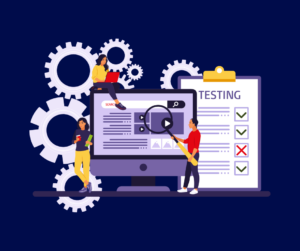
hardware lifecycle managementStep 1: Determine the Lifespan of Your Hardware Assets

The first step in creating a budget for hardware lifecycle management is to determine the lifespan of your hardware assets. This will help you estimate how often you need to replace or upgrade your hardware. The lifespan of hardware assets varies depending on several factors, including usage, maintenance, and technological advancements. For example, laptops may have a lifespan of three to five years, while servers may last up to seven years or more.

Step 2: Estimate the Costs of Acquiring and Maintaining Hardware Assets

Once you have determined the lifespan of your hardware assets, you can estimate the costs of acquiring and maintaining them. This includes the cost of purchasing new hardware and ongoing maintenance and support costs. To estimate these costs, consider the following:

  • Purchase Costs: This includes purchasing new hardware assets, including servers, workstations, laptops, and mobile devices.
  • Maintenance Costs: This includes the cost of ongoing maintenance and support for your hardware assets, including software updates, security patches, and repairs.
  • Replacement Costs: This includes the cost of replacing hardware assets when they reach the end of their lifespan or become obsolete.

Step 3: Consider the Benefits of Outsourcing Hardware Lifecycle Management

Outsourcing hardware lifecycle management to an MSP can help SMBs reduce costs and streamline their IT operations. MSPs have the expertise and resources to manage hardware lifecycles effectively, including planning, acquisition, maintenance, and disposal. By outsourcing hardware lifecycle management, SMBs can benefit from:

  • Reduced Costs: MSPs can help SMBs save money on hardware acquisition and maintenance costs by leveraging their purchasing power and economies of scale.
  • Improved Efficiency: MSPs can help SMBs streamline their IT operations by providing proactive monitoring and support, reducing downtime, and improving productivity.
  • Access to Expertise: MSPs have the expertise to manage complex IT environments and can provide guidance on hardware procurement and maintenance strategies.

Step 4: Plan for Future Growth and Technological Advancements

SMBs should consider future growth and technological advancements when budgeting for hardware lifecycle management. This includes planning for new hardware assets as well as upgrading existing ones to keep up with technological advancements. SMBs should also consider the impact of new technologies, such as cloud computing and virtualization, on their hardware lifecycle management strategies.

Benefits of Using MSPs for Hardware Lifecycle Management

  1. Expertise and Experience
    MSPs specialize in providing IT services to SMBs, and they have the expertise and experience needed to manage hardware lifecycles effectively. They understand the latest hardware trends, upgrades, and security measures to keep hardware running optimally. By using an MSP, SMBs can leverage the knowledge and expertise of experienced professionals.
  2. Scalability
    As SMBs grow, their hardware needs change. MSPs can provide flexible hardware lifecycle management solutions that can scale with the growth of the business. They can help SMBs plan for future hardware needs, making sure that their hardware remains up-to-date and optimized for their business needs.
  3. Security
    MSPs can help SMBs ensure their hardware is secure by providing proactive security measures such as regular software updates, security patches, and hardware upgrades. This approach minimizes the risk of security breaches and protects SMBs from potential data breaches, which can be devastating for SMBs.

Small and medium-sized businesses (SMBs) often struggle with managing their hardware lifecycles. This is because many SMBs lack the resources and expertise to manage their hardware effectively. Fortunately, SMBs can turn to managed service providers (MSPs) for help with hardware lifecycle management.

Why SMBs Need Hardware Lifecycle Management Plans

vector graphic As technology continues to evolve at an unprecedented rate, businesses of all sizes must keep up with the latest hardware and software to remain competitive. For small and medium-sized businesses (SMBs), managing hardware lifecycles can be daunting but cannot be ignored.

  1. Cost Savings

    Hardware is a significant investment for SMBs; it can become costly without proper maintenance. By implementing hardware lifecycle management, businesses can avoid unexpected expenses and plan for the future. An MSP can provide SMBs with an inventory of all hardware, age, and projected lifespan, allowing for strategic planning and budgeting.

  1. Increased Security

    Outdated hardware can pose significant security risks to SMBs. As cyber threats increase in frequency and sophistication, keeping hardware updated with the latest security patches and software updates is crucial. By working with an MSP, SMBs can ensure their hardware is secure and up-to-date.

  1. Improved Performance and Efficiency

    Older hardware can slow down business operations and decrease employee productivity. Upgrading to the latest hardware and software allows SMBs to streamline processes, reduce downtime, and increase efficiency. An MSP can help SMBs identify areas where hardware upgrades are necessary and make recommendations on the latest technology that can improve performance and efficiency.

  1. Compliance and Regulations

    Many industries have specific regulations and compliance requirements that businesses must adhere to. Outdated hardware may not meet these requirements, which can result in fines and legal issues. An MSP can ensure that SMBs are meeting all compliance and regulatory standards by maintaining hardware that meets the required specifications.

  2. Environmental Responsibility

    Disposing of outdated hardware has a significant impact on the environment. By implementing hardware lifecycle management, SMBs can reduce waste and contribute to a more sustainable future. An MSP can help SMBs responsibly dispose of old hardware and provide recommendations on how to reduce their environmental impact.

For SMBs, hardware lifecycle management translates into tangible benefits that directly impact their operations and bottom line. From cost savings achieved through strategic planning to heightened security, improved performance, and environmental responsibility, the advantages are multifaceted. By engaging with Hill Country Tech Guys, SMBs can tap into specialized expertise, experience scalability, and bolster security measures for their growing businesses.

Preparing Your IT Infrastructure for a Remote-First Workforce

In recent years, remote work has become increasingly popular and only accelerated in the wake of the COVID-19 pandemic. Companies of all sizes are shifting towards a remote-first approach, and IT infrastructure management plays a critical role in supporting remote work. Learn more about the basics of remote work IT infrastructure, security considerations, and best practices for preparing your IT infrastructure for remote work.

Understanding the Basics of Remote Work IT Infrastructure Management

IT infrastructure includes server rooms which take up valuable space and require upkeepTo support remote work, it’s important to understand the basics of remote work IT infrastructure. Two key components are virtual private networks (VPNs) and cloud computing.

Virtual Private Networks (VPNs):

VPNs are a secure way to connect to a remote network over the internet. They encrypt all traffic between your device and the remote network, ensuring your data is secure. Some benefits of using VPNs for remote work include:

  1. Enhanced Security: VPNs provide enhanced security by encrypting data transmitted between devices. This makes it much more difficult for hackers to intercept and steal sensitive information. Additionally, VPNs can help protect against malicious attacks by masking the user’s IP address and location.
  2. Better Connectivity: VPNs provide better connectivity by allowing users to access resources that might otherwise be restricted. For example, users can connect to a VPN to access a company’s internal network from a remote location. This ensures that employees have access to the tools and resources they need to be productive, no matter where they are.
  3. Increased Flexibility: VPNs offer increased flexibility by allowing users to connect to the internet from different locations and devices. This can be particularly helpful for remote workers who need access to company resources while on the go. With a VPN, users can connect securely to the internet from any location, whether at home, in a coffee shop, or on the road.

Cloud Computing:

Cloud computing is a model for delivering on-demand computing resources over the internet. It allows you to access data and applications from anywhere with an internet connection, which is critical for remote work. Cloud computing offers benefits such as:

  1. Scalability: Cloud computing allows businesses to quickly scale up or down their IT infrastructure based on their needs. As businesses grow, they need more computing power, storage, and bandwidth. With cloud computing, companies can easily add new resources without major capital expenditures. This flexibility enables businesses to respond to changing market conditions and stay competitive.
  2. Accessibility: One of the biggest advantages of cloud computing is accessibility. Cloud-based services can be accessed from anywhere with an internet connection. This means that employees can work remotely, increasing productivity and reducing the need for physical office space. Additionally, customers can access cloud-based services 24/7, leading to higher customer satisfaction.
  3. Cost Savings: Cloud computing can lead to significant cost savings for businesses. With cloud-based services, businesses do not need to invest in expensive hardware or software. Instead, they pay only for the resources they use on a pay-as-you-go basis. Additionally, cloud computing reduces the need for on-site IT staff and the associated costs of maintaining and upgrading infrastructure.

Security Considerations for Remote Work:

Remote work also comes with cybersecurity threats that must be considered. Cybercriminals often take advantage of remote workers to gain access to sensitive data or to launch attacks on company networks. Understanding these threats and implementing best practices for securing remote work is important.

Cybersecurity Threats of Remote Work:

With the rise of remote work, companies are facing new security challenges. Cybercriminals are exploiting the vulnerabilities of remote work environments to launch attacks on company networks, steal sensitive data, and cause disruptions. Here are some common types of threats that companies with remote workers should be aware of:

  1. Phishing: A form of social engineering in which threat actors trick people into providing sensitive data or access to systems.Phishing attacks:
    Phishing attacks are one of the most common forms of cybercrime. Cybercriminals send fake emails or messages that appear to be from a trusted source, such as a bank or a colleague, to trick employees into divulging sensitive information or clicking on malicious links.
  2. Malware attacks:
    Malware attacks involve infecting devices with malicious software, such as viruses or trojans. These attacks can be used to steal data, compromise systems, or launch attacks on other devices.
  3. Man-in-the-middle attacks:
    Man-in-the-middle attacks occur when a cybercriminal intercepts communication between two devices, such as a remote worker’s computer and the company’s server. This allows the attacker to eavesdrop on the communication, steal data, or inject malicious code.
  4. Remote access attacks:
    Remote access attacks target vulnerabilities in remote access tools, such as virtual private networks (VPNs). Cybercriminals can use these vulnerabilities to gain unauthorized access to company networks, steal data, or launch further attacks.
  5. Insider threats:
    Insider threats involve employees who intentionally or unintentionally cause security breaches. Remote workers may be more vulnerable to insider threats due to a lack of oversight and monitoring.

Best Practices for Securing Remote Work:

Some best practices for securing remote work include using strong passwords, updating software regularly, avoiding public Wi-Fi, and implementing multi-factor authentication. Home network security is an often overlooked consideration for many companies with remote workers.  Establishing policies and procedures for remote work and regularly training employees on cybersecurity awareness is also essential.

Preparing Your IT Infrastructure for Remote Work:

To support remote work effectively, you need to assess, plan, and implement changes to your IT infrastructure. Here are some steps you can take to prepare your IT infrastructure for remote work.

  1. Assess Your IT Infrastructure:
    Assess your current IT infrastructure and identify areas that need improvement. This might include upgrading hardware or software, improving network performance, or increasing cybersecurity measures.
  2. Plan for Remote Work:
    Determine which remote work options make sense for your company and create a plan for implementing them. This might involve investing in new tools or upgrading existing ones to support remote work.
  3. Implement and Test Your IT Infrastructure:
    Implement the changes you’ve identified and test your IT infrastructure to ensure that it’s working correctly. This might involve conducting a pilot test or training employees on new tools and processes.

Empower Your Remote Workforce with a Strong IT Infrastructure:

Remote work is here to stay, and IT infrastructure management plays a crucial role in supporting it. You can create a productive and secure environment by understanding the basics of remote work IT infrastructure management, considering security considerations, and preparing your IT infrastructure for remote work.

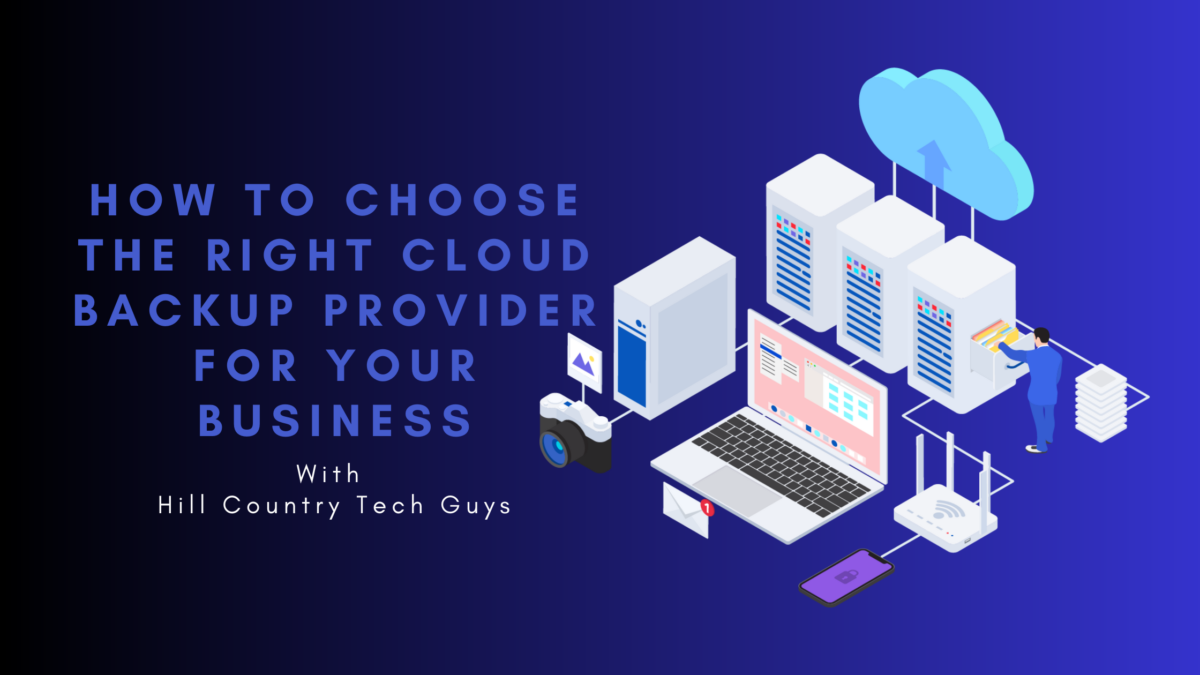
How to Choose a Cloud Backup Provider for Your Business

In today’s digital era, data loss has severe consequences for businesses. Implementing a reliable cloud backup solution is essential to protect your valuable data and ensure business continuity. But with numerous options available, choosing the right cloud backup provider can be a daunting task. How do you choose the best data backup solution for your business?

What is Cloud Backup?

Before diving into the selection process, it’s important to understand cloud backup. Cloud backup involves storing copies of your data securely on remote servers via the internet. This provides an off-site location for data storage, minimizing the risk of data loss in the event of hardware failure, natural disasters, or cyber-attacks.

User-Friendly Interfaces for Easy Access and Restoration:

A reputable cloud backup provider offers user-friendly interfaces that simplify the process of accessing and restoring your data. These interfaces allow you to navigate through your backups effortlessly, making locating specific files or folders convenient. With just a few clicks, you can initiate the restoration process, ensuring that your data is back in your hands promptly.

File-Level Restore and Point-in-Time Recovery:

One of the significant advantages of cloud backup and recovery is the ability to perform file-level restore. Rather than restoring an entire backup, this feature enables you to selectively recover specific files or folders, saving time and storage space. Additionally, reputable providers often offer point-in-time recovery, allowing you to restore your data to a specific snapshot in the past. This capability is invaluable when dealing with data corruption or accidental deletions.

Flexibility to Recover Data to Different Devices or Locations:

Cloud backup and recovery solutions provide the flexibility to recover your data to different devices or locations. Whether you need to retrieve your data to a new device, remote office, or virtual environment, a robust cloud backup solution ensures seamless data restoration, irrespective of the destination. This versatility empowers businesses to adapt quickly to changing circumstances and maintain operations without disruption.

How Does a Cloud Backup Service Work?

A cloud backup service creates a copy of your data and transmits it to a remote server through an internet connection. This process typically involves using specialized software or backup agents that automatically encrypt and transfer your data to the cloud. Incremental backups are performed to ensure efficient use of storage space and minimize backup time.

Cloud Backup Security and Reporting
Cloud backup solution quoteWhen choosing a cloud backup solution, security is of paramount importance. Look for providers that offer robust encryption during transmission and while data is at rest in the cloud. Additionally, consider solutions that provide comprehensive reporting and auditing features, allowing you to monitor backup status, verify data integrity, and track any potential issues.

Account for Your Operating Systems

Ensure that the cloud backup solution supports your business’s operating systems. Whether you use Windows, macOS, or Linux, compatibility is crucial for seamless integration and efficient backup processes. Verify if the provider offers dedicated backup agents or software for your specific operating system.

Follow the 3-2-1 Rule

Adhering to the 3-2-1 rule is a best practice for data backup. It involves having at least three copies of your data, stored on two different media, with one copy located off-site. A reliable cloud backup solution is crucial in fulfilling this rule, providing an off-site backup location for your data.

How Does Cloud Backup and Recovery Work?

In addition to backup, understanding how cloud backup and recovery work is essential. A reputable provider will offer user-friendly interfaces, allowing you to easily access and restore your data when needed. Look for features like file-level restore, point-in-time recovery, and the ability to recover data to different devices or locations.

What Are Cloud Backup Services?

Cloud backup services encompass a range of features and options. Some providers offer basic file-level backups, while others provide more advanced solutions, including system imaging, virtual machine backups, and application-level backups. Assess your business’s specific needs and choose a service that aligns with your backup requirements.

How to Choose a Cloud Backup Provider? 10 Points to Consider:

  1. Data Security: Ensure the provider implements robust security measures, such as encryption, access controls, and data redundancy.
  2. Scalability: Verify if the solution can accommodate your growing data storage needs over time.
  3. Reliability: Look for providers that offer high availability and guaranteed uptime to minimize the risk of service disruptions.
  4. Cost: Consider the pricing structure, including storage costs, data transfer fees, and any additional charges for features or support.
  5. Performance: Evaluate the provider’s backup and recovery speed to ensure timely and efficient data transfers.
  6. Compliance: Confirm that the provider meets relevant compliance standards if your business operates in a regulated industry.
  7. Integration: Check if the solution integrates with your existing IT infrastructure, applications, and workflows.
  8. Support: Assess the provider’s customer support options, including availability, response times, and
  9. Service Level Agreements (SLAs): Review the provider’s SLAs to understand the guaranteed service levels. Specifically, look for backup frequency, recovery time objectives (RTOs), and data retention policies.
  10. Data Accessibility: Ensure you have convenient access to your backed-up data whenever you need it, whether through web interfaces, mobile apps, or API integrations.

4 Types of Cloud Backup Solutions

  1. File-Level Backup: This solution focuses on backing up individual files and folders, making it suitable for businesses with basic data protection needs.
  2. Image-Based Backup: Image-based backups capture a snapshot of entire systems or specific drives, enabling quick recovery of entire operating systems, applications, and configurations.
  3. Cloud-to-Cloud Backup: Cloud-to-cloud backup solutions specialize in backing up data residing in cloud-based applications like Microsoft 365, Google Workspace, or Salesforce.
  4. Hybrid Backup: A hybrid backup approach combines on-premises backups with cloud storage, offering flexibility, local recovery options, and off-site data protection.

Backing Up Data on Premises to the Cloud

If your business has an on-premises infrastructure, consider a cloud backup solution that supports backing up data directly from your local servers or storage devices to the cloud. This approach provides an extra layer of protection by keeping a copy of your critical data off-site.

Network-Attached Storage (NAS)

For businesses utilizing NAS devices for data storage, ensure that your chosen cloud backup solution is compatible with your specific NAS hardware and offers seamless automated backup integration.

The Benefits of Using an MSP for Cloud Backup Providers

Navigating the complex world of cloud backup providers can be overwhelming for SMBs. This is where Managed Service Providers (MSPs) step in to offer a range of benefits tailored to the unique needs of SMBs.

Expertise and Guidance:

MSPs specialize in cloud backup services, bringing a wealth of knowledge and expertise to the table. With their in-depth understanding of various cloud backup technologies and best practices, MSPs can guide SMBs in selecting the most suitable solution based on their specific requirements. By leveraging the expertise of an MSP, SMBs can make informed decisions and ensure their data is protected effectively.

Reliable and Secure Data Protection:
cloud backup provider quoteData security is a top concern for SMBs. MSPs prioritize data protection by implementing robust security measures like encryption, access controls, and data redundancy. With their dedicated focus on cloud backup, MSPs employ industry-leading security practices to safeguard sensitive business information. By entrusting their data to an MSP, SMBs can gain peace of mind, knowing that their valuable data is stored securely in a resilient cloud environment.

Proactive Monitoring and Support:

Managing cloud backups requires constant monitoring and proactive maintenance. MSPs take this responsibility off the shoulders of SMBs, handling the day-to-day backup operations and ensuring that backups are performed regularly and successfully. In the event of any issues or failures, MSPs can swiftly identify and resolve them, minimizing downtime and data loss. This ensures that SMBs can focus on their core business activities while the MSP handles the intricacies of cloud backup.

Scalability and Flexibility:

SMBs often experience fluctuating data storage needs as their businesses grow. MSPs offer scalable solutions that can accommodate changing storage requirements seamlessly. An MSP can adjust the cloud backup infrastructure accordingly, eliminating the hassle of managing hardware or storage upgrades. This scalability allows SMBs to align their backup costs with their actual usage, ensuring a cost-effective solution.

Cost Savings:

Opting for an MSP can result in significant cost savings for SMBs. By leveraging the MSP’s infrastructure and expertise, SMBs can avoid the upfront costs of purchasing and maintaining their backup hardware and software. MSPs typically offer flexible pricing models, allowing SMBs to pay for the services they need and scale up or down as required. This cost-effectiveness makes cloud backup services accessible and affordable for SMBs with limited IT budgets.

Key Takeaways

Choosing the right cloud backup solution is essential for safeguarding your business’s critical data and ensuring operational continuity. By understanding the concept of cloud backup, evaluating security measures, considering operating system compatibility, following best practices like the 3-2-1 rule, and assessing provider features and support, you can make an informed decision that meets your business’s backup requirements.

Remember, every business is unique, so take the time to evaluate your needs, prioritize data security, and select a reliable cloud backup provider that aligns with your specific IT environment. Safeguard your valuable data and gain peace of mind by embracing the power of a robust cloud backup solution. If you’re considering implementing a new cloud backup service, call Hill Country Tech Guys and let us help you find the solution that fits your business’s needs.

Take Your Business to the Next Level with Collaborative Productivity Software

In today’s fast-paced world, it’s more important than ever for teams to work efficiently and collaboratively. Collaborative productivity software can help your team achieve that by streamlining communication, project management, and task tracking. In this article, we’ll explore the benefits of using team collaboration software and how it can improve your team’s productivity.

What is Collaborative Productivity Software?

Collaborative productivity software is a set of tools designed to help teams work together on tasks and projects. This software allows team members to communicate in real-time, share documents, and track progress in one centralized location. Some examples of team collaboration software include O365, Gsuite, Asana, Trello, Slack, and Microsoft Teams.

How Collaborative Productivity Software Can Boost Your Remote Workforce

Collaborative productivity software is essential for businesses looking to enhance their remote workforce. It enables team members to collaborate seamlessly, share information, and complete tasks more efficiently. With the right software, businesses can ensure that remote teams are productive, even when working from different locations.

Here are some ways online collaborative productivity software can positively impact your remote workforce:Collaborative productivity software is essential for businesses looking to enhance their remote workforce. Professional team working to put the puzzle pieces together

  1. Improved Collaboration and Communication
    Team collaboration software provides a central location for teams to communicate and share information. With this software, team members can easily communicate with each other, share files, and work together on projects in real-time, regardless of their location. This improved communication and collaboration can lead to better decision-making, increased productivity, and better project outcomes.
  2. Increased Efficiency
    Team collaboration software can automate many repetitive tasks, reducing manual workloads and allowing team members to focus on more critical tasks. With the right software, businesses can streamline their workflows, enabling teams to complete projects faster and with greater accuracy.
  3. Flexibility and Access to Information
    Collaborative productivity software enables remote workers to access essential tools and information anywhere. This increased flexibility means that team members can work from different locations, such as home or on the go, and still access the same tools and information they would have in the office.

How to Choose the Right Collaboration Software

When choosing collaborative productivity software, it’s important to consider your team’s unique needs. Some things to consider include:

  1. Define Your Requirements Before evaluating software options. It’s important to identify your team’s requirements. Consider the type of work your team does and what features will be most useful for your team. For example, if your team works on creative projects, you may need software with robust design tools that allows real-time collaboration.
  2. Evaluate Different Software Options Once you’ve identified your team’s requirements, start evaluating different software options. Look for software with the features you need and within your budget.
  3. Consider Integration with Other Tools Your team may already be using other productivity tools, such as CRM or email marketing software. When selecting a collaborative productivity software, ensure it integrates seamlessly with your team’s tools.
  4. Check User Reviews Before making a final decision, check user reviews for the software you’re considering. This can provide valuable insight into how the software performs in real-world scenarios.
  5. Choose Software and Train Your Team Once you’ve evaluated your options and made a decision, it’s time to choose the software and train your team. Ensure everyone is trained to use the software effectively to maximize its benefits.

Choosing the right online collaborative productivity software can significantly impact your team’s efficiency and overall success. By following these steps, you can ensure that you select the perfect software for your team’s needs.

Why SMBs Should Choose an MSP for Team Collaboration Software Implementation

Collaboration and productivity are critical factors for small and medium-sized businesses (SMBs) to stay competitive in today’s fast-paced business environment. The adoption of collaborative productivity software can help SMBs streamline their workflows, enhance team collaboration, and boost productivity.

However, implementing and managing collaborative productivity software can be complex, time-consuming, and challenging for SMBs, especially those with limited IT resources. This is where Managed Service Providers (MSPs) come in.

MSPs provide a range of IT services, including implementation, management, and support of online team collaboration software. Here are some reasons why SMBs should consider partnering with an MSP for collaborative productivity software implementation:

  1. Collaborative productivity software is essential for businesses looking to enhance their remote workforce. Graphic employee hands on to of one another. Expertise and Experience
    MSPs have a team of experienced IT professionals who specialize in implementing and managing online team collaboration software. They have the knowledge, skills, and expertise to ensure the software is implemented correctly and any issues are resolved quickly.
  2. Cost Savings
    Partnering with an MSP for collaborative productivity software implementation can be cost-effective for SMBs. MSPs can provide SMBs access to enterprise-level software and technology at a lower cost. Additionally, SMBs can save money by hiring and training IT staff to manage the software.
  3. Scalability
    As SMBs grow, their collaboration and productivity needs change. MSPs can help SMBs scale up or down their software to match their changing business requirements.
  4. Enhanced Security
    Collaborative productivity software often contains sensitive data. MSPs can ensure the software is secure by implementing security measures such as data encryption, firewalls, and access controls.

Collaborative productivity software can be a game-changer for your team’s productivity. Streamlining communication, project management, and task tracking can save time and increase transparency within your team. When choosing online collaborative productivity software, consider your team’s unique needs, and look for software that has the features, user experience, integration, and security you need.

Benefits of Partnering with an MSP for Collaborative Productivity Software Implementation

When choosing collaborative productivity software, it’s essential to consider your team’s unique needs, evaluate different software options, consider integration with other tools, check user reviews, and train your team. For small and medium-sized businesses (SMBs), partnering with a Managed Service Provider (MSP) for team collaboration software implementation is a cost-effective and scalable option that can provide access to enterprise-level software and technology at a lower cost. Hill Country Tech Guys has a team of experienced IT professionals who specialize in implementing and managing online collaborative productivity software, ensuring that issues are resolved quickly and enhancing security.

Managed Endpoint Detection and Response Services for Businesses

Managed Endpoint Detection and Response (EDR) services are becoming increasingly popular among organizations looking to secure their digital assets against cyber threats. Organizations need a comprehensive security strategy to effectively protect endpoints, including monitoring, detection, and response capabilities. One of the key components of this strategy is Endpoint Detection and Response (EDR), which provides real-time visibility into endpoint activities and helps identify potential threats. However, managing EDR can be complex and time-consuming, which is where Managed Detection and Response (MDR) services come in. Managed Endpoint Detection and Response (MEDR) combines EDR and MDR. Together, they help organizations improve their security posture.

Why Your Business Needs EDR

Endpoint Detection and Response (EDR) is an increasingly essential cybersecurity technology for businesses of all sizes. EDR is a security solution that monitors endpoints such as desktops, laptops, servers, and mobile devices for signs of malicious activity and provides an immediate response to contain and remediate any potential threats.

EDR provides a crucial layer of protection that traditional antivirus software cannot offer. Here are some of the reasons why your business needs EDR:managed service provider: EDR is a security solution that monitors endpoints such as desktops, laptops, servers, and mobile devices for signs of malicious activity

  1. Detects Advanced Threats:
    EDR is designed to detect sophisticated threats that can bypass traditional security measures like firewalls and antivirus software. It detects malware, ransomware, and other malicious activity that traditional security solutions miss.
  2. Quick Response to Threats:
    When EDR detects a threat, it provides immediate response and remediation to contain the threat and minimize any damage. This quick response can help prevent the spread of the threat and limit the potential impact on your business.
  3. Increased Visibility:
    EDR provides businesses with increased visibility into their network, allowing them to monitor endpoints and track suspicious activity. This visibility helps businesses identify potential vulnerabilities and implement security measures to prevent future attacks.
  4. Compliance:
    EDR can help businesses meet regulatory compliance requirements by providing an audit trail of security events and measures to remediate threats.

How EDR Works

EDR collects data from endpoints and analyzes it to detect any signs of malicious activity. It uses machine learning algorithms and behavioral analytics to identify patterns of activity that may indicate a threat.  EDR works to contain threats and remediate damage immediately.

Optimized EDR Implementation

To get the most out of EDR, it is important to implement it effectively. Here are some tips for optimizing your EDR implementation:

  1. Choose the Right EDR Solution:
    With so many EDR solutions available, choosing one tailored to your business needs is important. Look for a solution that provides comprehensive endpoint coverage, is easy to use, and offers quick response times.
  2. Monitor and Analyze Data:
    EDR collects vast data; monitoring and analyzing it to identify potential threats is important. Ensure that your team is trained to use the EDR solution effectively and knows how to interpret the data collected.
  3. Implement Best Practices:
    EDR does not replace traditional security measures like firewalls and antivirus software. Implementing best practices for cybersecurity is important, such as keeping software up-to-date, using strong passwords, and educating employees about cybersecurity risks.

The Key Components of MDR

Managed Detection and Response (MDR) is a cybersecurity service that helps businesses to detect, investigate, and respond to cyber threats. MDR service providers use advanced technology, human expertise, and automation to provide an effective and proactive approach to cybersecurity.

MDR services have become essential for businesses due to the ever-evolving threat landscape. Cybercriminals are becoming more sophisticated, and traditional security measures are no longer enough to protect businesses from these attacks. Managed Detection and Response services provide a comprehensive and proactive approach to cybersecurity, enabling businesses to detect and respond to threats before they cause damage.

The key components of MDR services include threat detection, incident response, and continuous monitoring. MDR service providers use advanced security tools and technologies to detect and respond to threats in real time. They monitor network traffic, endpoint devices, and cloud infrastructure to identify suspicious activity. In the event of an incident, MDR service providers conduct investigations to determine the extent of the attack and provide a response plan to mitigate the impact of the attack.

MDR Services Provide Businesses With a Range of Benefits

  1. managed endpoint detection and response quote: a comprehensive solution that combines edr with mdrImproved threat detection:
    MDR services use advanced threat detection technologies to identify and respond to threats in real time. This proactive approach to cybersecurity helps businesses prevent attacks before they cause damage.
  2. Faster incident response:
    MDR service providers offer quick response times to security incidents. They have the expertise and resources to investigate security incidents, contain them, and restore normal operations.
  3. Reduced security risks:
    MDR services help to reduce the risk of security breaches and data loss. They provide businesses with a proactive and comprehensive approach to cybersecurity, ensuring that all aspects of their infrastructure are monitored and protected.

Managed Endpoint Detection and Response is the Best of Both Worlds

Managed Endpoint Detection and Response (MEDR) is a critical cybersecurity service for businesses of all sizes. In today’s world, where cybercrime is becoming increasingly sophisticated, it’s essential to have a proactive approach to security. MEDR provides a comprehensive solution combining endpoint detection and response (EDR) with managed detection and response (MDR) to enhance your business’s protection.

MEDR helps to detect and respond to advanced cyber threats by continuously monitoring your endpoints, such as laptops, desktops, and mobile devices. It uses sophisticated algorithms and machine learning to identify unusual patterns of behavior and detect potential attacks. The MEDR team takes immediate action to isolate infected devices, prevent the spread of malware, and minimize damage to your network.

MEDR is a Crucial Cybersecurity Service

Here are some real-world examples of how MEDR protects your business:

  1. Ransomware Attack:
    A company’s employee clicked on a phishing link, which led to a ransomware attack. The MEDR team was quickly alerted to the unusual activity on the employee’s device and immediately quarantined it. The MEDR team then initiated a recovery process to restore the encrypted data from the company’s backups.
  2. Insider Threat:
    A disgruntled employee attempted to steal confidential company data and sell it to a competitor. The MEDR team detected the unusual behavior and immediately blocked the employee’s access to the company network, preventing the exfiltration of sensitive data.
  3. Malware Infection:
    A company’s endpoint was infected with malware attempting to spread throughout the network. The MEDR team quickly isolated the infected device and took steps to ensure the malware could not spread, preventing further damage to the network.

MEDR is an essential cybersecurity service that can help protect your business from cyber threats. It provides a comprehensive solution that combines EDR with MDR. This protects from the initial stages of an attack to the remediation of the damage caused. By implementing MEDR, you can rest assured that your business is secure and that your sensitive data is protected from cyber threats. If you have questions about MEDR or are ready to implement it within your organization, Hill Country Tech Guys is ready to guide you.